




At Guépard, Monday's HubSpot café has become a strategic ritual.
We open the HubSpot product updates, analyze them and, above all, ask ourselves a simple question: what does this mean in concrete terms for marketing, sales, service and RevOps teams?
HubSpot's new products for the week of February 15, 2026 are not flashy.
They are structuring.
This week, HubSpot improves the transparency of its internal mechanisms and reduces operational friction. Fewer grey areas. Fewer unnecessary steps. More control.
Here's our full analysis.
Create a ticket by sending an email in the help desk
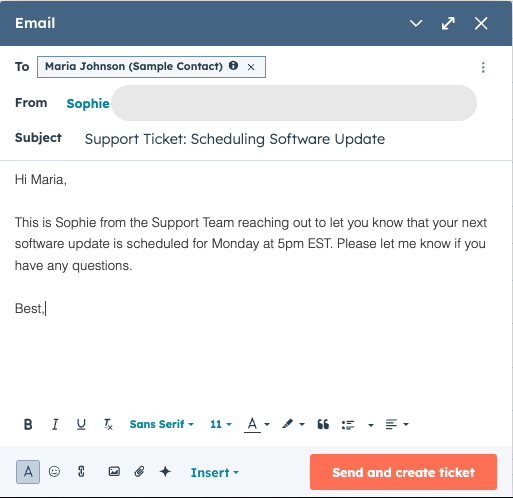
It is now possible to send an email directly from the help desk and automatically create a ticket at the same time.
Until now, creating a ticket manually involved several steps. For service teams juggling high volumes and tight SLAs, every click counts.
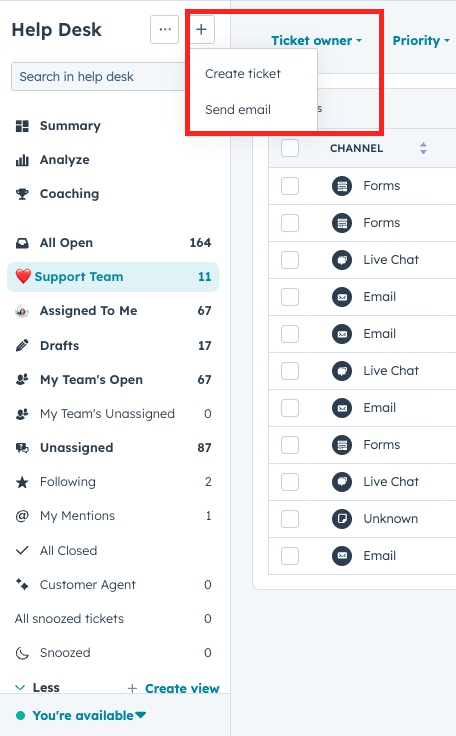
With this update, an agent can :
Click on the "+" button in the help desk
Select "Send email
Write their message
Click on "Send and create ticket".
The ticket is created automatically.
If AI settings are enabled, HubSpot generates the subject, description, pipeline, status and owner from the message content.
This is an immediate time-saver. But above all, it reduces the mental workload. Service teams can concentrate on resolving the problem, not on administration.
In terms of Service Hub productivity, this is a major development.
Multi-brand support for sales documents
Multi-brand support now extends to sales documents.
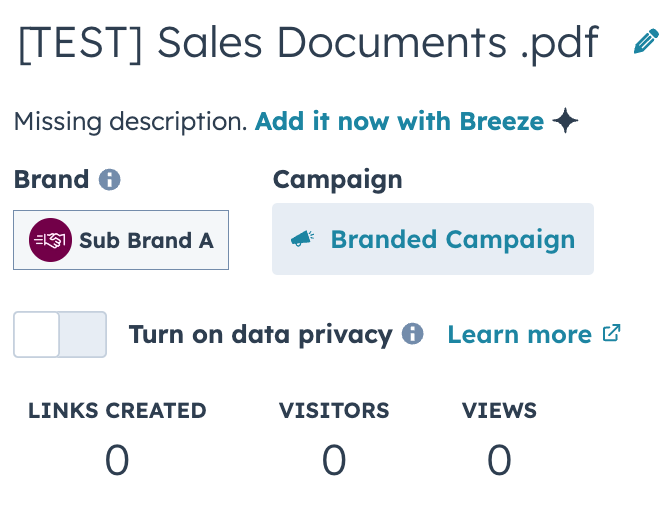
Each document can be associated with a specific brand. The logo and colors displayed in the Document Viewer automatically reflect the assigned brand.
For multi-brand organizations, this is strategic.
For a long time, multi-brand management was mainly present in marketing tools. Sales teams had to pay manual attention to visual consistency.
Now :
When a document is uploaded, it is automatically associated with the active brand.
The brand can be changed via "Actions" then "Change brand".
Shared links are updated automatically.
This is not a spectacular feature.
It's an organizational maturity feature.
Brand consistency finally extends to business interactions. And in complex environments, it's an important step towards full multi-brand governance in HubSpot.
Tracking planned shipments and daily sequence limits
Sequences have always had daily sending limits to avoid sending spam behavior signals to providers like Outlook and Gmail.
The difference today is that this limit is now visible.
In Sales > Sequences > Scheduled, a graph displays :
The number of emails sent today
The number of scheduled emails
The daily limit applicable to the selected address
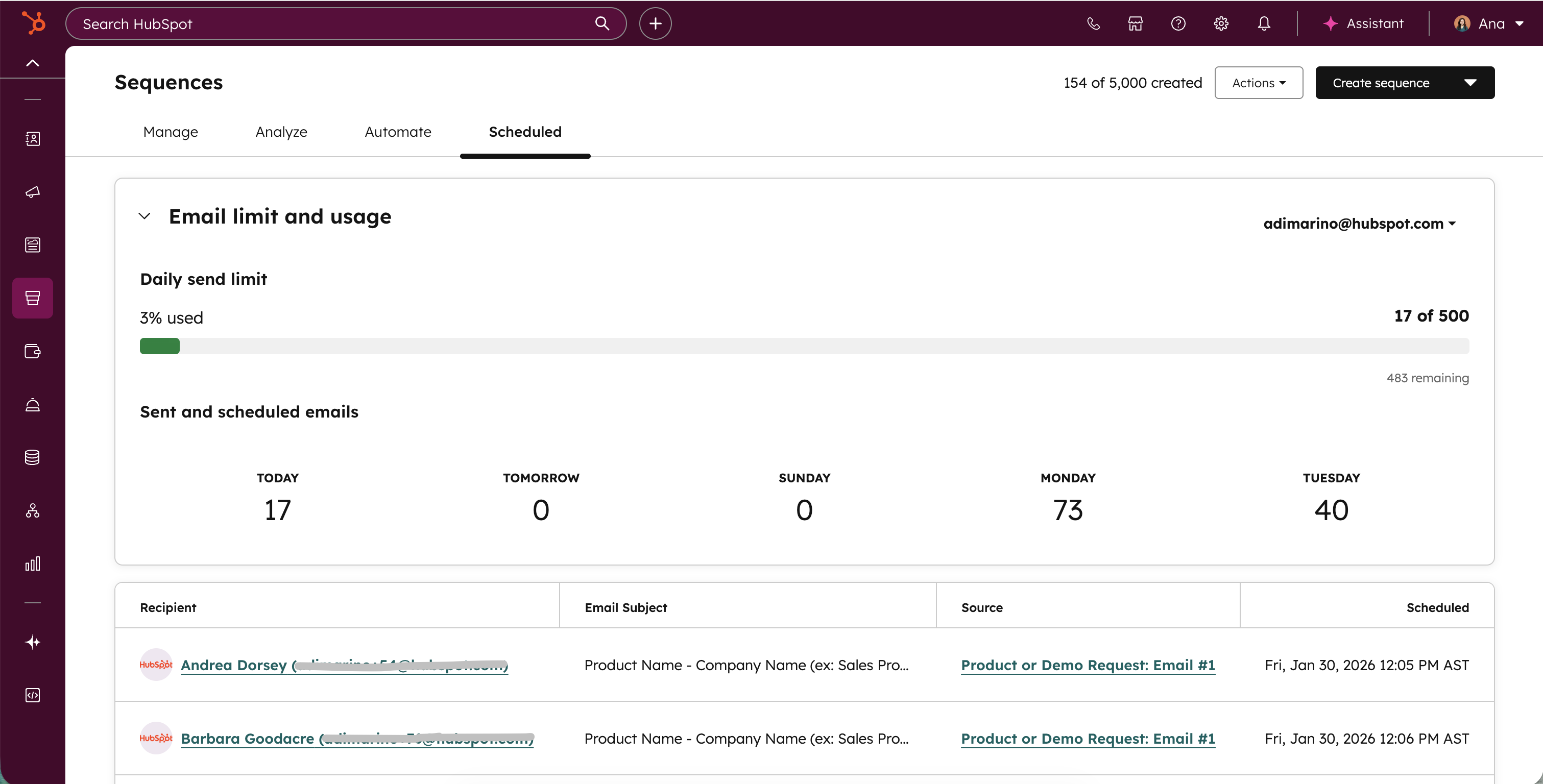
Sales reps can adjust the timing, unsubscribe contacts or spread out the dispatches.
This transparency changes posture.
We're moving from an invisible constraint to a controllable indicator.
In terms of deliverability and sales performance, this is a major step forward. Teams gain in autonomy and control.
Assignment details with AI routing explanation
Ticket and conversation routing is often perceived as a black box.
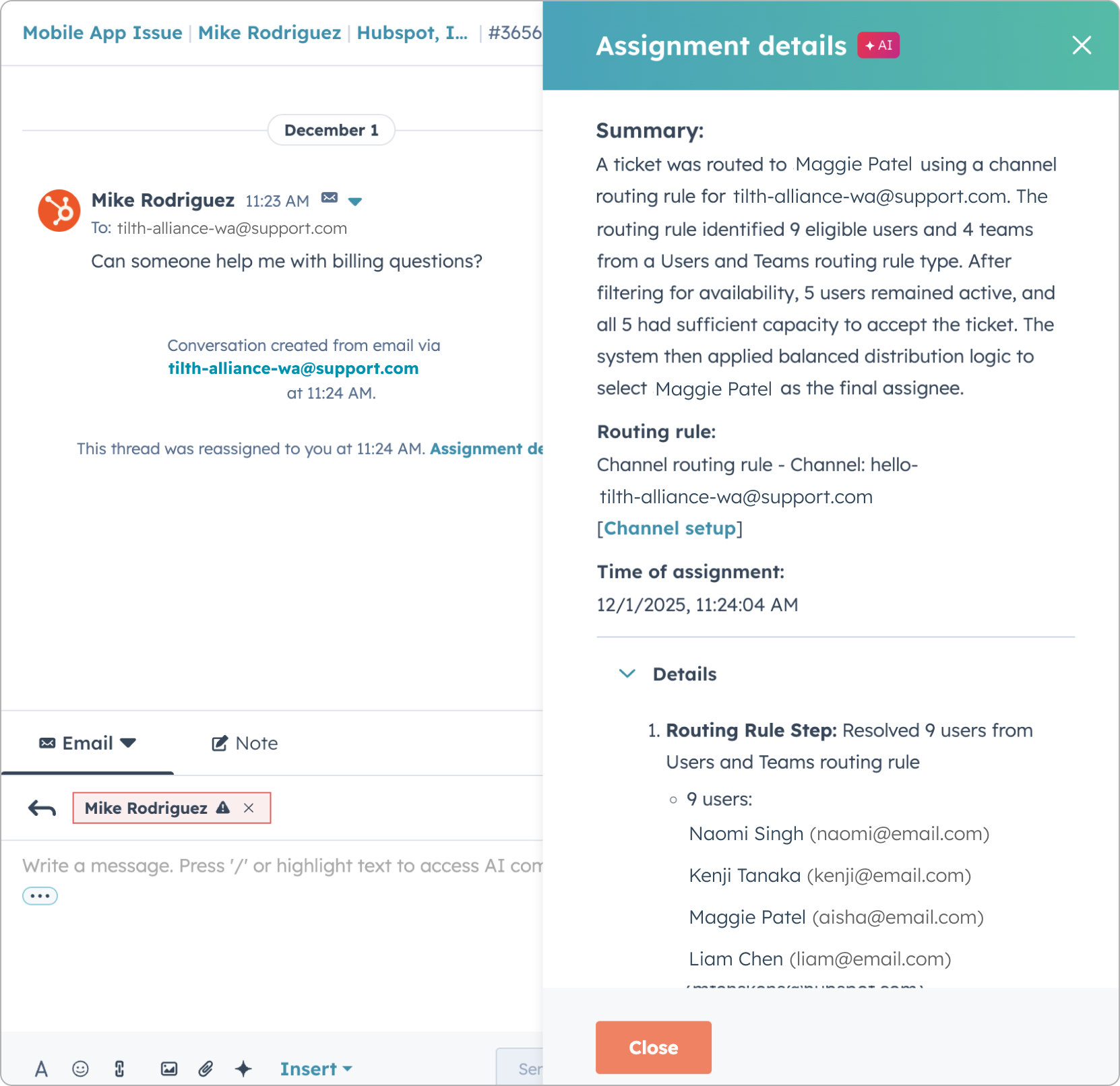
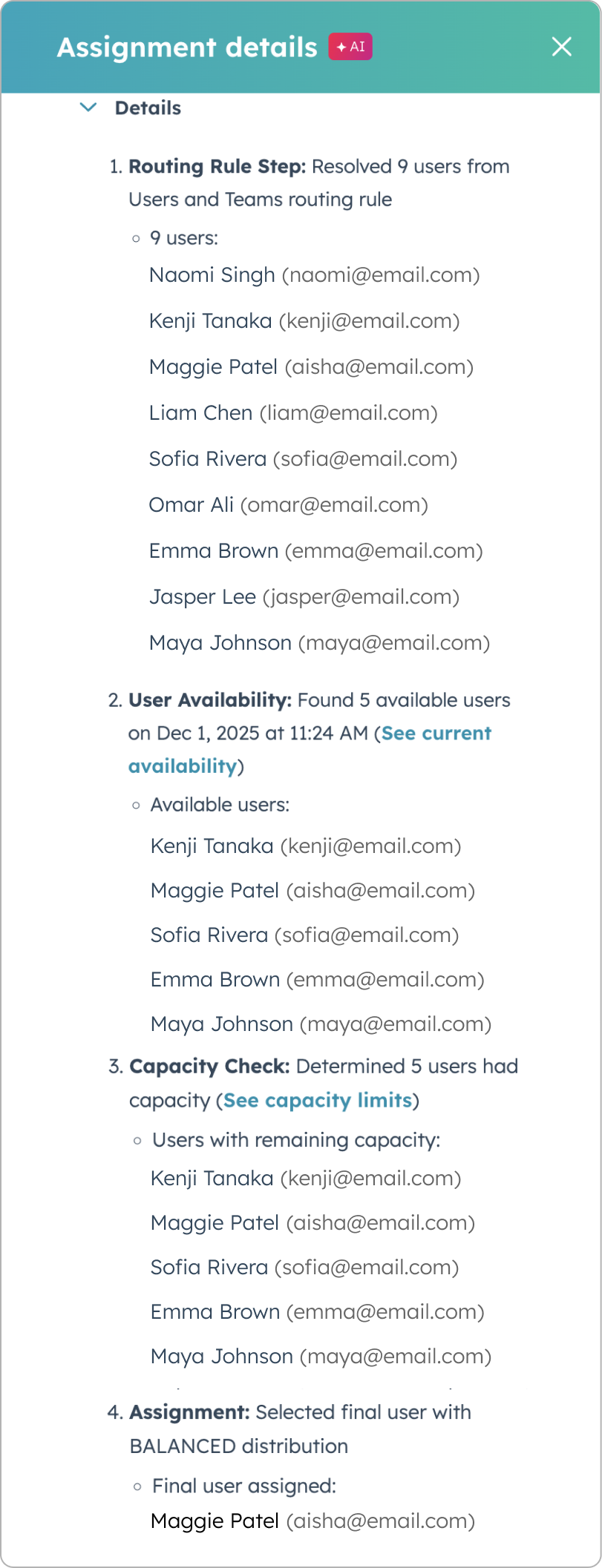
With Assignment Details, HubSpot displays a plain-language explanation:
which routing rule was triggered
Which users were eligible
How availability or capacity influenced the decision
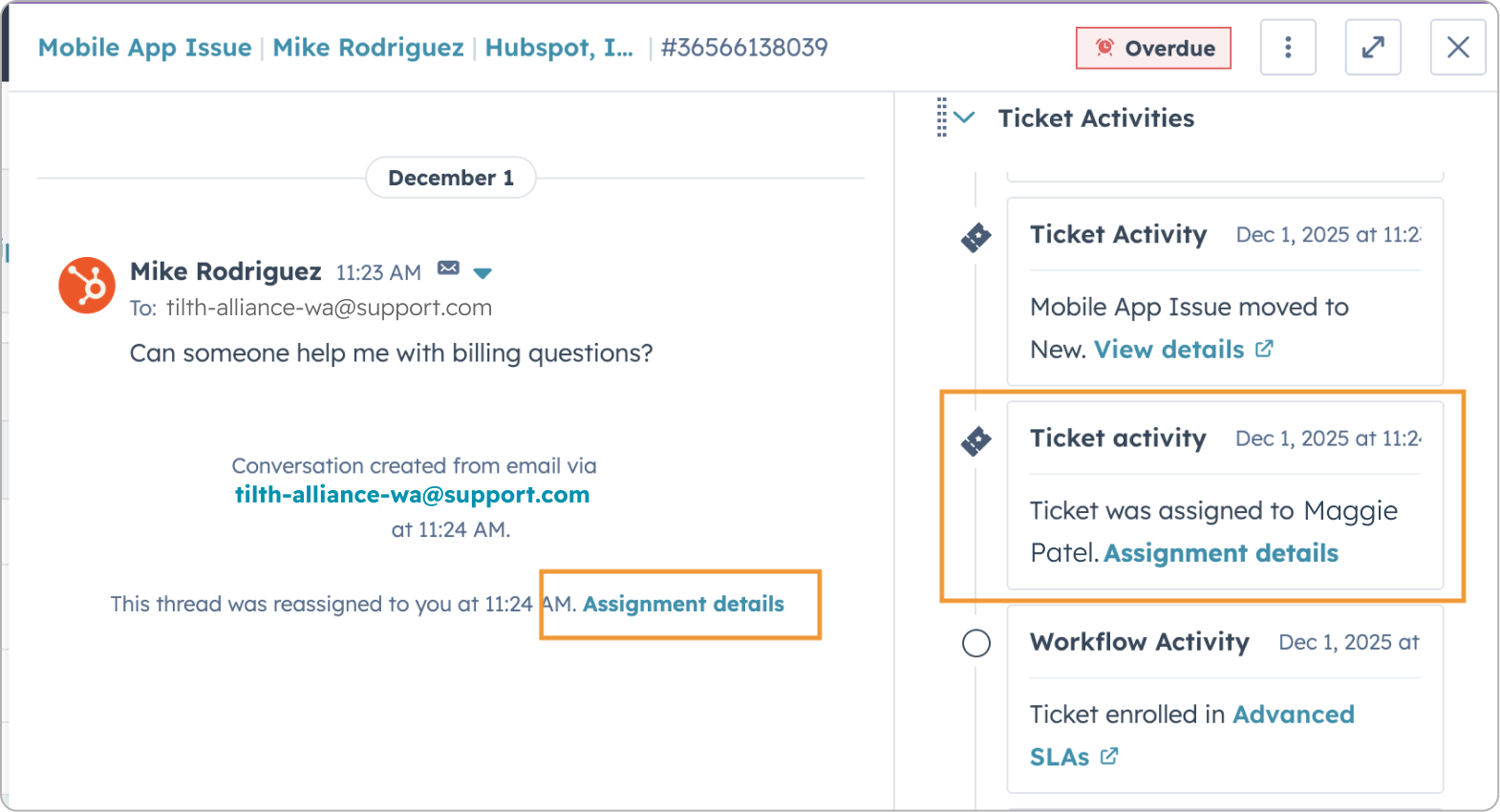
Even if the rules have since changed, the explanation reflects the exact status at the time of assignment.
For service managers, this is invaluable.
It allows them to diagnose assignment errors, adjust rules with confidence, and train new recruits more easily.
Operational transparency becomes a lever for governance.
SurveyMonkey App: survey data finally usable
The SurveyMonkey integration now enables responses to be synchronized as native Feedback Survey objects in HubSpot.
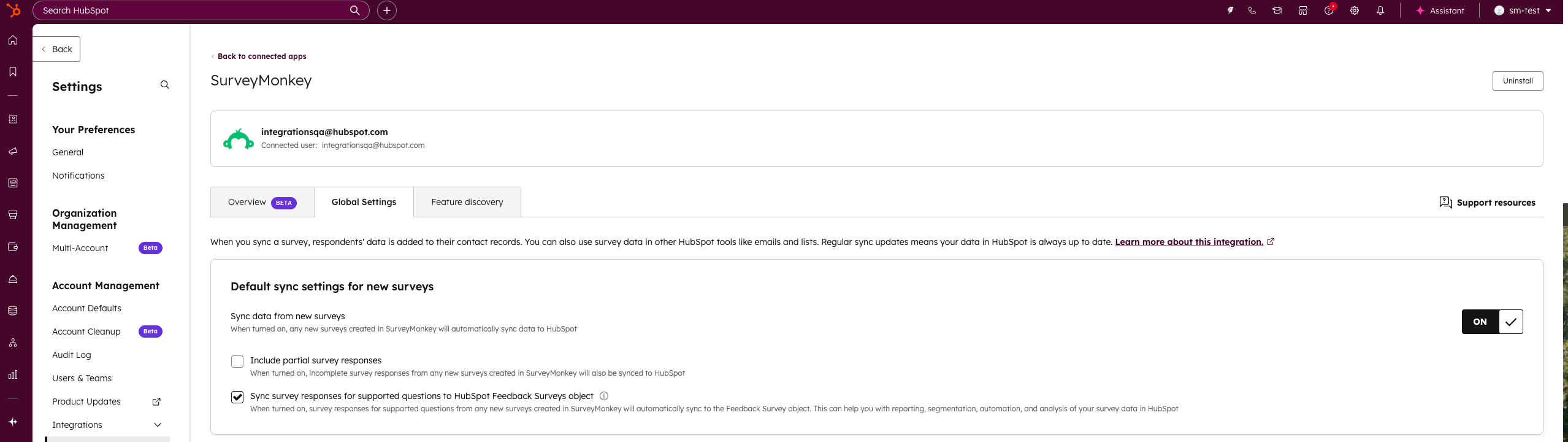
Prior to this update, survey data remained mainly in activity timelines. Their exploitation was limited.
Now, responses can be used in :
-
Workflows
-
Segmentation
-
Reporting
-
Breeze
Teams can trigger actions based on a survey response, analyze trends or segment by satisfaction.
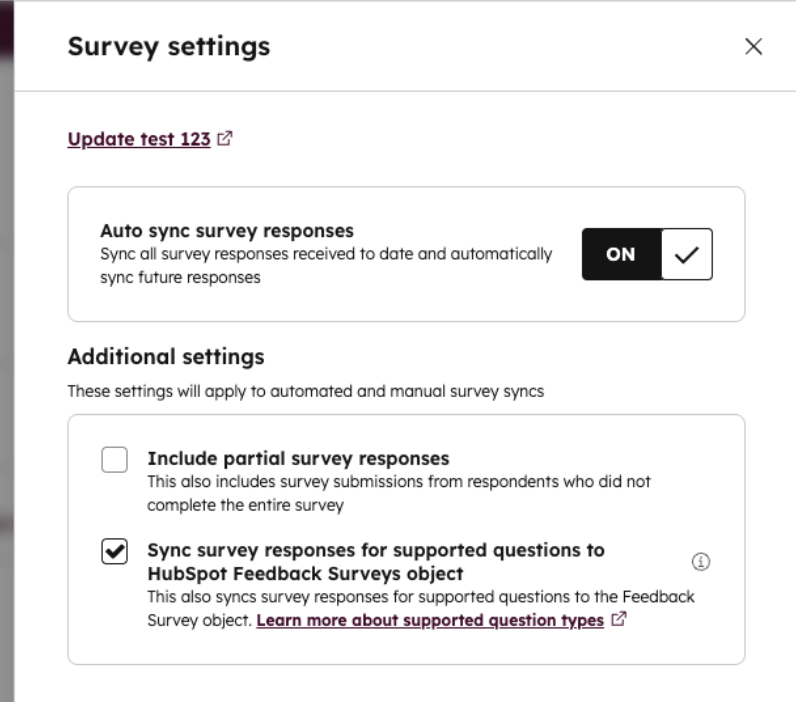
For organizations already using SurveyMonkey, this is a much more strategic integration. Data is no longer isolated. It becomes activatable.
A more mature, more transparent platform
What we're seeing this week is not an accumulation of new features.
It's a coherent movement.
HubSpot is continuing the harmonious development of its platform by reducing friction and making its internal mechanisms more visible. Routing, sending limits, multi-brand management, ticket creation, poll exploitation.
Less black box.
More control.
More operational maturity.
And that's exactly what makes teams LOVE their CRM.
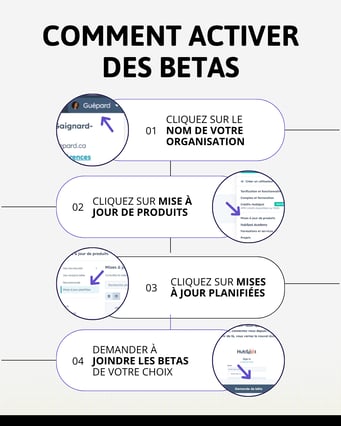
To find out what's new in your portal, click on your organization's name in the top right-hand corner, then on "Product Updates".
Every week, we analyze HubSpot's new products and their real impact on teams.
Follow Guépard on LinkedIn or subscribe to our newsletter to stay up to date and continue to move your use of HubSpot towards greater performance and clarity.